Best AI Receptionist for Electricians 2027: Buyer's Guide
Choose the best AI receptionist for electricians in 2027. Learn how to handle emergency calls, compare pricing models, and test voice systems.
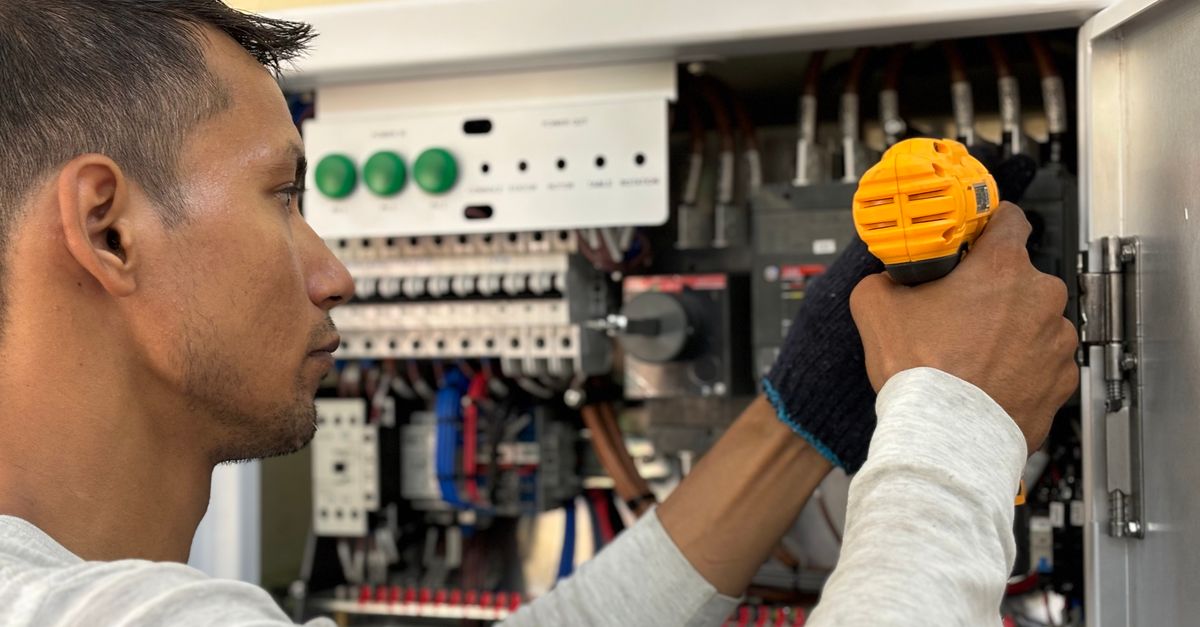
The best AI receptionist for electricians in 2027 is one that instantly routes urgent safety hazards to your cell phone while booking routine estimates directly onto your calendar. It must also handle background noise, respect texting consent rules, and protect your budget from surprise overage fees.
Why Electricians Need Different Call Handling Than Other Trades
Electricians need different call handling because inbound calls range from routine estimate requests to immediate safety hazards like burning panels and active power outages. When a property owner calls an electrical contractor, they may be dealing with active fire hazards, total loss of power, or commercial downtime. If an automated answering system treats a buzzing breaker box with the same relaxed cadence as a routine light fixture swap, callers hang up immediately.
At the same time, solo electrical contractors and small service crews spend their workdays on fiberglass ladders, running conduit through attics, or working inside live distribution panels. You cannot pull a phone out of your pocket to write down notes while working inside a main panel. Voicemail used to be the default backup, but modern callers rarely leave a message; they hang up and call the next licensed contractor on their search list.
An AI answering service for electricians must bridge this gap. It needs to separate safety hazards from routine estimates, capture clean caller details, and hand off emergency calls immediately without interrupting you for minor questions. If you want to see how call handling needs compare across other service trades, review our guide to the best AI receptionist by industry in 2027.
What an Electrical AI Receptionist Must Handle
An electrical AI receptionist must separate urgent hazard alerts from routine installation requests and route each call appropriately. Every electrical service business deals with two main categories of incoming calls, and your software must manage both correctly.
Hazardous Situations and Power Outages
Certain phrases should immediately flag a call as an emergency in any automated system:
- Sparking outlets and switches: Crackling sounds, visible arcing, or scorched wall plates.
- Burning smells: Acrid plastic or fishy odors near panel boards or electrical outlets.
- Partial outages: Half the building losing power while heavy circuits flicker, indicating a dropped line or failing breaker.
- Water intrusion: Sump pump failures during heavy rain or water leaking into electrical enclosures.
In these situations, the caller needs instant confirmation that their issue is logged as urgent, followed by an immediate call transfer to the on-call electrician. The assistant should capture key facts without attempting to diagnose technical issues over the phone.
Routine Installations and Estimates
The rest of your phone traffic consists of planned work like EV charger installations, panel upgrades, recessed lighting layouts, and generator hookups. For these calls, an assistant built like an AI receptionist for electricians should gather vital details:
- Name, physical address, and callback phone number.
- Project scope and equipment specifications, such as panel amperage or charger brand.
- Preferred scheduling slots for an on-site visit.
The 3 Test Calls to Make Before You Commit
You should test any voice system with a panic call, a pricing question, and a noisy background call before signing up for a service. Set up a trial and dial the test number yourself to verify how the voice model responds under pressure.
1. The Panic Call
Call the system and speak with urgency: "My main panel is making a loud buzzing sound and I smell burning plastic in the hallway."
Watch how the software processes the prompt. It should immediately recognize the hazard, collect the street address, and trigger your emergency transfer workflow rather than trying to book a standard appointment three days out.
2. The Scope and Pricing Trap
Call in and ask: "How much do you charge to replace a subpanel?" or "What does a full house rewire cost?"
A unconfigured voice assistant might guess pricing or invent numbers. The assistant must state clearly that accurate job pricing requires an on-site evaluation, then collect project details so you can review the request later. An AI assistant should never state prices for jobs it has not been given.
3. The Busy Background Noise Call
Call from a noisy truck cab or a job site with active power tools running nearby. Speak over the assistant while it is talking to test its handling of natural speech.
A reliable voice assistant must filter background noise, handle natural speech pauses, and maintain conversation flow without forcing the caller into endless repetition loops.
How the 4 Pricing Models Play Out for Electrical Contractors
AI receptionist pricing models generally fall into per-minute, per-call, per-lead, or flat monthly rates with limits, each impacting your monthly expenses differently. Choosing the right structure prevents unpredictable bills during busy service seasons.
| Pricing Model | How It Works | Impact on Electricians | Risk to Watch |
|---|---|---|---|
| Per Minute | You pay for every minute the caller is connected. | Can become costly during complex troubleshooting calls. | Long-winded callers inflate your bill. |
| Per Call | A flat fee for every call answered. | Predictable cost per interaction regardless of length. | Spam calls and wrong numbers trigger charges. |
| Per Lead | You pay only when a qualified name and number are collected. | Aligns directly with incoming job leads. | Providers may define unqualified inquiries as leads. |
| Flat Rate with Cap | A set monthly fee that includes a set pool of minutes or calls. | Predictable monthly cost for easy budgeting. | Overage fees or sudden call cutoffs if caps are exceeded. |
When a service call worth say $250 is on the line, prospective customers will rarely leave a message on voicemail. A predictable monthly plan lets you convert those calls without worrying about per-minute charges while callers describe their home electrical layout.
SMS Consent and Plan Limits: Critical Questions to Ask
Before enabling automated text messaging or committing to a platform, you must ask how the system handles texting consent and minute overages. Texting features can improve speed-to-lead, but they require strict compliance safeguards.
Ask potential providers these essential operational questions:
- How is texting consent obtained? Text messages (such as confirmations, reminders, text-back, and follow-ups) should only go to callers who explicitly agree to receive texts during the conversation. If a caller does not consent, the platform must send updates by email instead. Check the rules in your state to ensure your messaging workflow complies with local regulations.
- What happens when plan limits are reached? If you buy a plan with monthly minute caps, find out what occurs during call volume spikes. Does the provider charge steep overage fees, cut off calls, or forward overflow calls directly to your cell phone?
- How does number forwarding work? You should keep your existing business phone number. Learn how to forward business calls to an AI receptionist so calls route to the assistant only when you are busy on a ladder or after business hours.
Setting Up Smart Escalation Rules
Setting up smart escalation rules requires establishing exact parameters for when the AI transfers urgent calls to your cell phone versus when it books routine jobs. Clear boundaries keep your day organized while protecting safety.
- Define strict transfer criteria: Limit live phone transfers to your cell phone to active safety hazards, water near electrical panels, or commercial power outages.
- Connect your calendar directly: Link your calendar software so callers looking for routine estimates can select open time slots without back-and-forth phone calls.
- Check daily call summaries: Review written summaries every evening to catch callback numbers, job notes, and special requests logged while you were on job sites.
A Practical Front Desk Option: WebCrew
WebCrew provides an AI front desk designed for trade contractors that answers phone calls 24/7, flags urgent safety issues, and books appointments straight into Google Calendar. It captures caller info, transfers emergency calls to your cell phone, and sends you summary notes after every customer call. You can start with a 30-day free trial, or secure our Founding 10 plan for $99/month locked for life for the first 10 clients.
Questions owners ask
How does an AI receptionist handle an electrical emergency?
The system identifies urgent keywords like burning smells, sparking outlets, or total power loss. It flags the call as urgent and can transfer the caller directly to the owner's cell phone.
What happens when I reach my monthly AI minute limit?
On WebCrew, once you reach your monthly minute limit, excess calls ring your cell phone directly instead of the AI, ensuring you never face surprise overage charges.
Can an AI receptionist book electrical estimates directly on my calendar?
Yes. Once connected to your Google Calendar, the assistant books open estimate or service slots directly based on your availability rules.
Are automated text messages compliant with texting rules?
Automated text messages are only sent to callers who explicitly agree to receive texts during the call. If a caller does not agree, updates are sent by email. Check the rules in your state for local compliance guidelines.
Stop losing calls you never heard ring.
WebCrew answers your phone and your website 24/7, books jobs into your calendar, follows up, and asks every customer for a Google review. Founding 10: $99/mo locked for life, 250 AI minutes, $0 setup, 30-day free trial.
Build my free demo Best AI Receptionist for Plumbers 2027: Buyer's Guide
 AI Receptionist for Carpet Cleaning: Room Counts & Routing
 AI Receptionist for Handyman Businesses: Filter Calls and Book Jobs